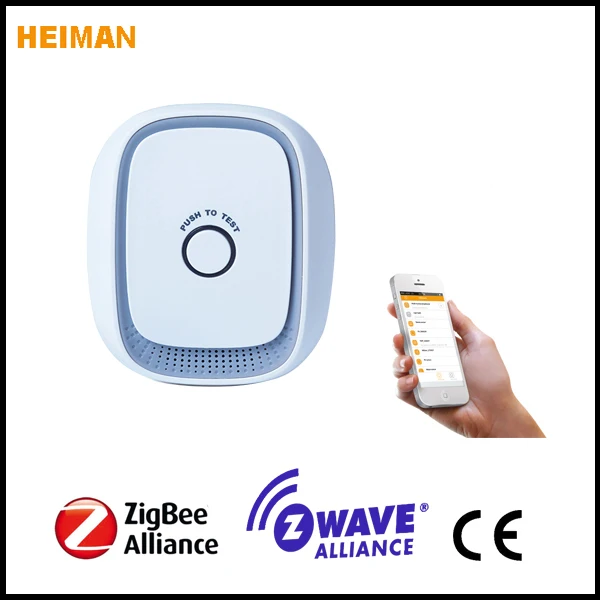
Home automation zigbee natural gas alarm smart LPG detectorThis IOT gas detector adopts extra low power consumption ZigBee wireless module. Used for detecting combustible gas leakage and preventing danger caused by gas leakage. ZigBee repeater, extend wireless transmission distance. Detector adopts high stability semi-conductor gas sensor, with high stability, small sensitivity drift and many other features. Detector alarms while gas density in air exceed alarm level. It is applicable for kitchen or possible gas leaking indoor area.
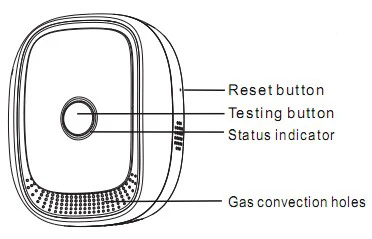
Main FeaturesPower:AC 220V
Size:75* 65* 45.5mm
Sensitivity: 3000±1000ppm
Features:
1. Low consumption Zigbee moudle.
2. Zigbee HA1.2 protocol
3. AC powered, plug& play
4. delicate and luxury design
5. can work as Zigbee signal repeater
6. Adopts high stability semiconductor sensor
Specification
Working Voltage 100-240V AC
Average consumption <1.5W
Alarm sound 75dB/m
Alarm density 6%LEL±3% LEL (natural gas)
Networking ZigBee Ad-hoc Network
Wireless networking distance <100m (open area)
Working temperature -10 to +50°C
Working humidity 95% RH
Dimension 79* 68* 31mm (no including plug)
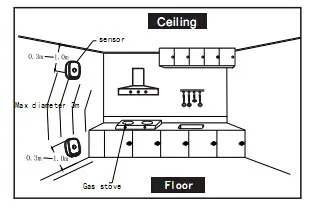
Installation Before installation, pls confirm`the detecting gas density, heavier or lighter than air. If detecting gas is heavier than air: LPG., etc, install at 0.3-1m height from floor, semi-diameter to gas source less than 1.5m. If detecting gas is lighter than air: natural gas, manufactured gas, marsh gas .etc, install at 0.3-1m height from ceiling, semi-diameter to gas source less than 1.5m.
Step 1 :
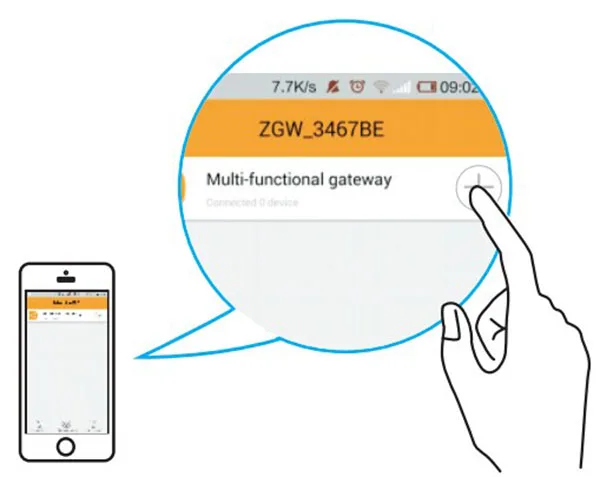
Detector will enter the network mode by clicking adding devices in the APP
Step 2:
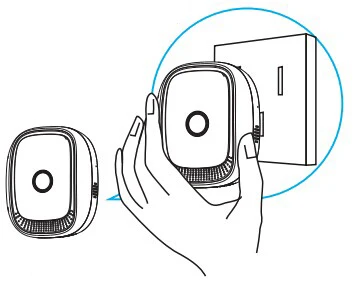
Insert the gas detector into socket and enter Ad Hoc Network condition, Tips will be showed on APP, networking successfully.
Step 3:
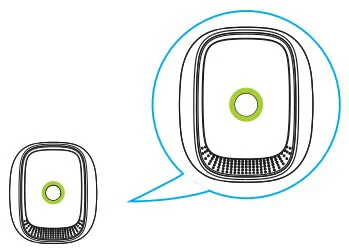
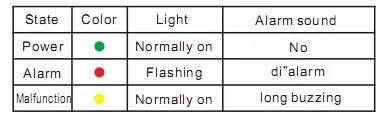
Whi le power on detector, power indicator on green and buzzer "beep" once, circuit enter warm-up state, then red LED and yel low LED alternately flashing, will stop flashing after 3 minutes means detector has entered normal work status. Pls do not test gas when detector warming up.
Step 4:
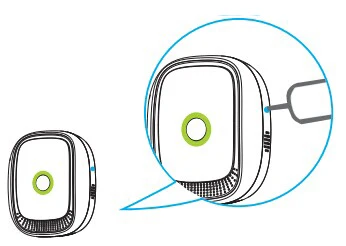
Note: Pls keep arrow part in the picture upwards.Put the detector into the bracket. After warming up, keep pressing reset key for 2s according to APP tips, green indicator flash quickly, tips wi l l be showed on APP, networking successfully. Green indicator off, after 3s green indicator keeps and detector enters work mode.
LED Indicator
APP Interface

